Free Email by Google Switch to Gmail, Sign up now!
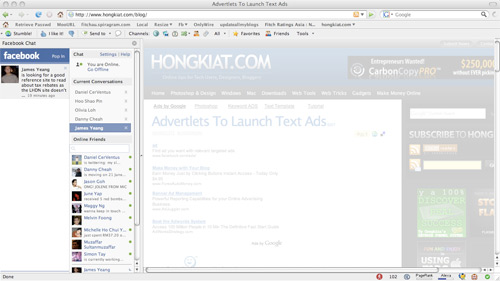
Facebook Chat is cool, at least it allows you to send instant
messages to online Facebook contacts. However I’m not really a fan of
the chat bar being at the bottom of the page, what if I’ve left Facebook
but still wants to remain chatting with my Facebook contacts? If you
are using Firefox, you can place the Facebook Chat at the sidebar.
Step 1
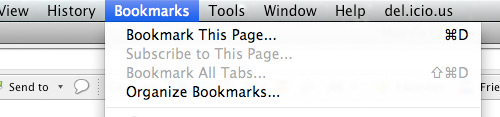
Look for Bookmarks on the top navigation. Select Organize Bookmarks…
Step 2
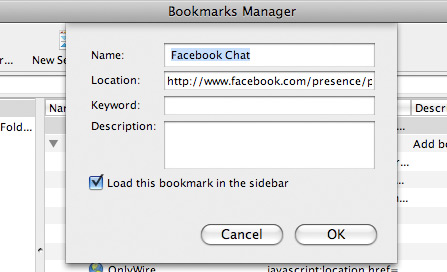
Click New Bookmark... tab and enter the following:
- Name: Facebook Chat
- Location: http://www.facebook.com/presence/popout.php
- Check Load this bookmark in sidebar.
Step 3
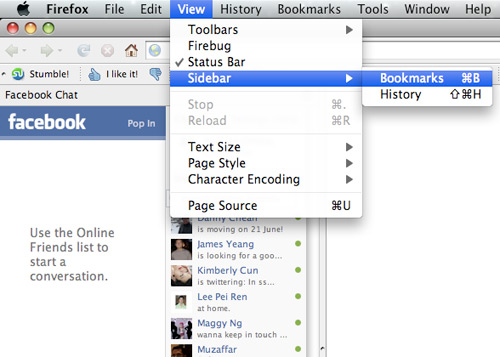
Launch the Firefox sidebar, click Facebook Chat and start chatting with your Facebook contacts within Firefox.


0 comments: